
How to Format Your Invoices and Track Income as a Freelancer
When it comes to creating an invoice format, you may not be sure what to include — and that's completely normal. So I'm making it easy by doing it for you.
Rather than creating a separate file for every invoice, I recommend building your invoices in Google Sheets or Excel. This way, you can keep each invoice on its own tab, with everything rolling up into a summary tab at the top.
First, here's a link to my free template via Google Docs. Just make a duplicate copy to your Google Drive and you're ready to go. All screenshots in this post are pulled directly from that template.
In this example, my handsome cat Enzo is a freelancer with one main client: Cat Biscuits Inc. Here's how I've set up his invoice template for the entire year. This file is dedicated to Cat Biscuits Inc. only — and since Enzo is a busy cat, he'll have a separate file set up just like this for each of his other clients.Tab 1 - Summary of Invoices
There are 3 tabs on this doc, so you can keep invoicing the same client or multiple clients on separate tabs, but have ONE file.
Tab 1 - Summary
The first tab is a summary of all invoices that have been billed and paid for 2026.
This doc has 3 tabs, so you can invoice the same client across multiple months — or multiple clients across multiple tabs — all within one file. The first tab is a summary of every invoice that has been billed and paid for 2026.
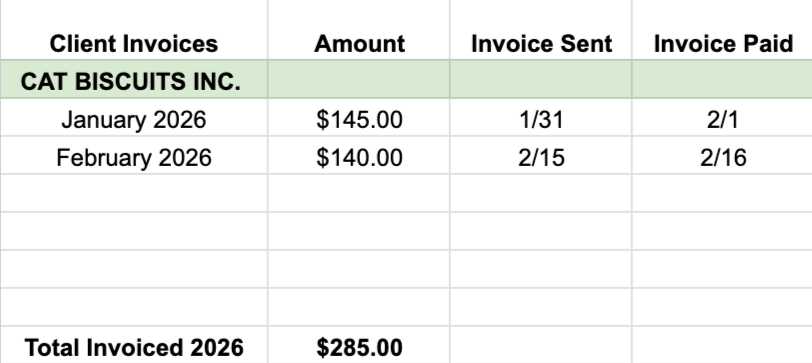
So far, my cat Enzo has billed $285 for 2026.
Tab 2 - January Invoice
The second tab is the invoice sent for the month of January only.
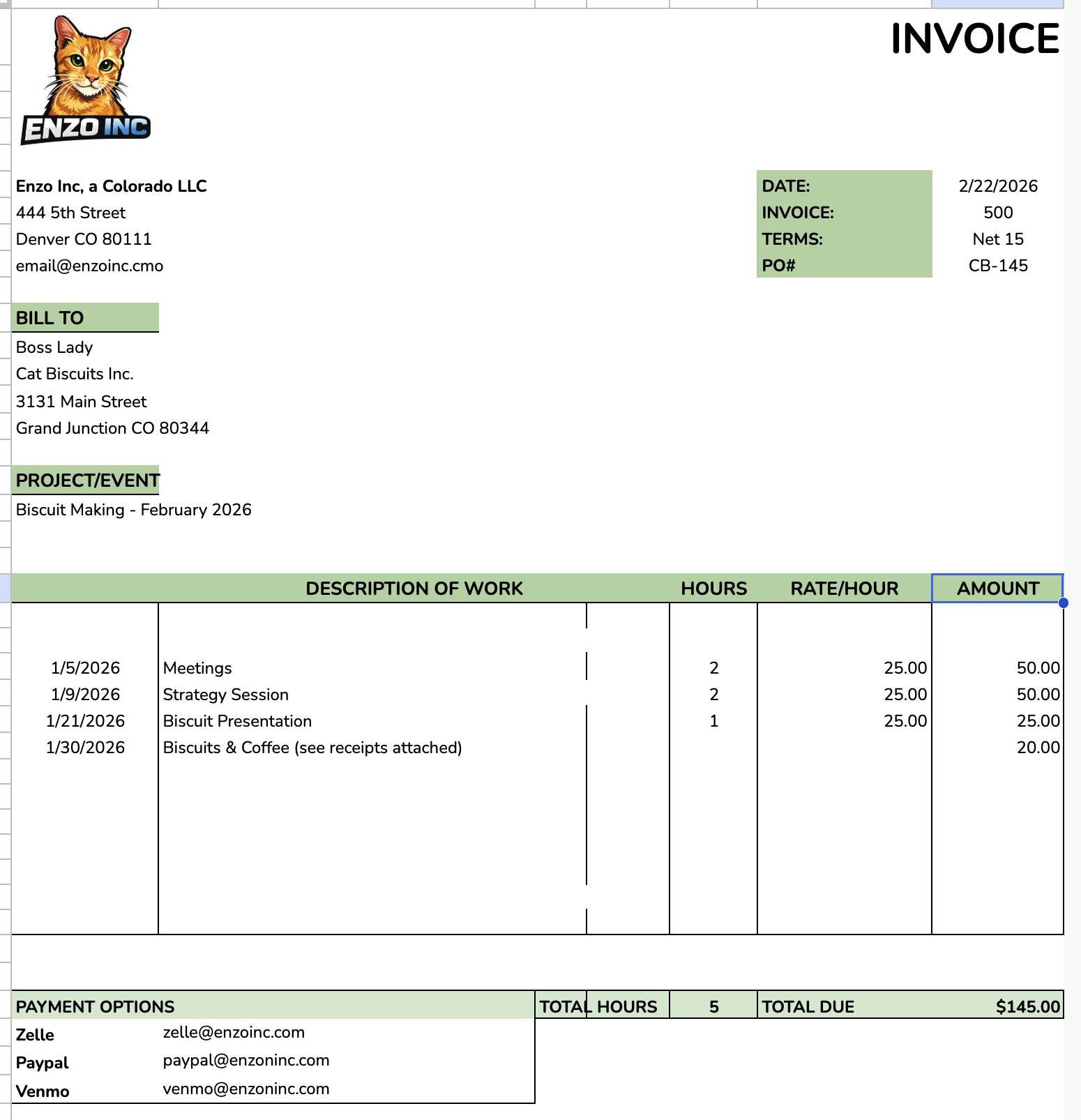
He only billed $145 for January. Slacker.
Tab 3 - February Invoice
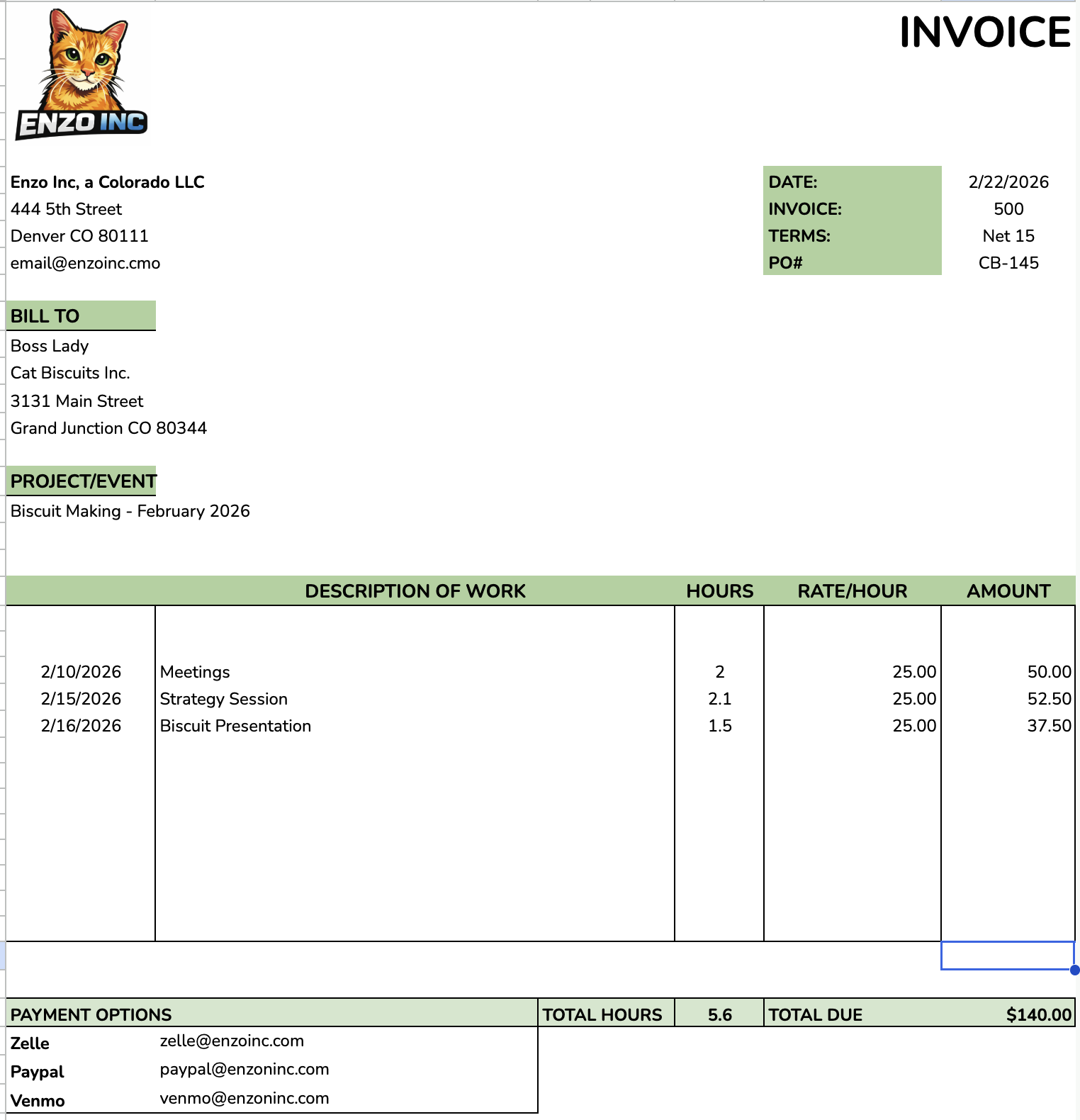
Another sad February for Enzo. This barely covers his cat rent.
With this format, you could have 3 different clients all summarized on the first tab — Tab 2 for Client 1, Tab 3 for Client 2, and so on.
This is especially helpful if you aren't using bookkeeping software. At the end of the year, all you have to do is pull the summary page to see your total invoiced amount and hand that number off to your accountant.
If you also need to include expenses on your invoices, those can be totaled separately as well. Your accountant will have everything they need in one document — total income received, plus any amounts received as expense reimbursements. Clean, simple, and easy to hand off.
As always, reach out if you need help with your bookkeeping or setting up a system that works for you.
